
Compare two Word documents for free
For a quick answer, turn both versions into PDFs with Word to PDF and put them into Compare PDF: it shows every word that was added or removed. To accept or reject changes one by one, use compare in Word on the Desktop. Both run on your device.
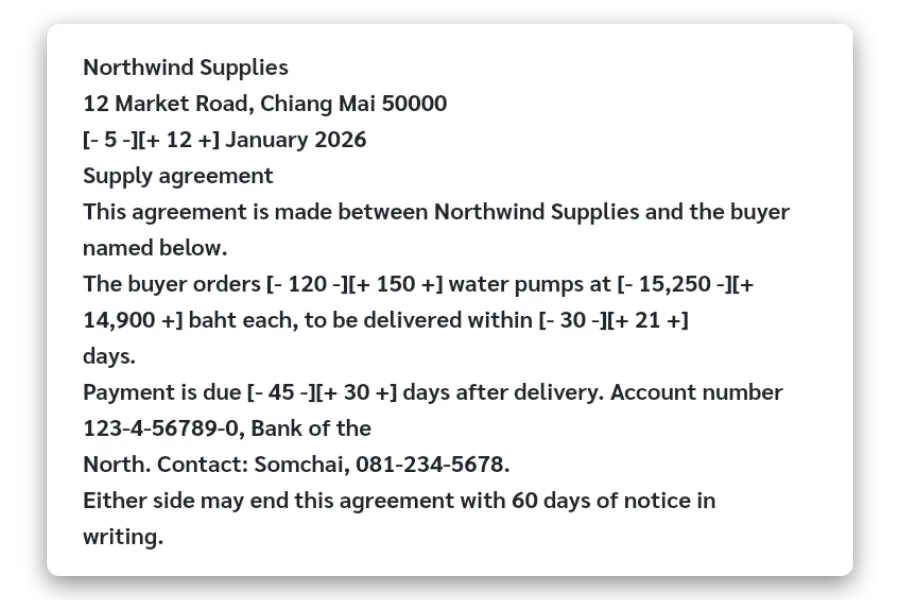
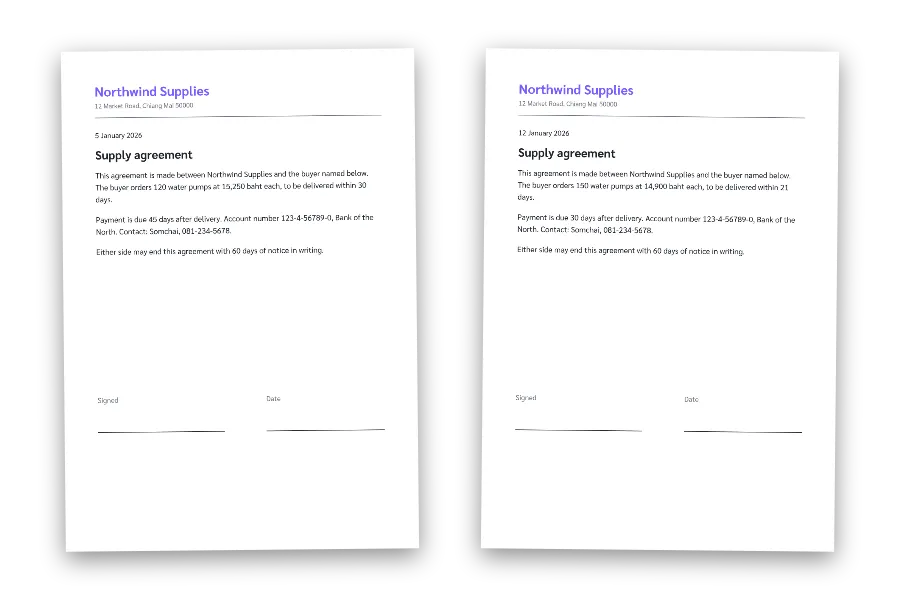 Before PDF, 16 KBAfter HTML, 879 B
Which way fits
| You need | Use |
|---|---|
| To know what changed, now | Compare PDF in the page |
| To send back a document with tracked changes | Word on the Desktop |
| To stop this happening next time | Track changes, turned on before anyone edits |
The quick report
- Open Word to PDF, press Choose files, pick both versions and press Download.
- Open Compare PDF and press Choose files.
- Pick the two PDFs. The old one goes first.
- Read the result on the page. Removed words and added words are marked.
- Press Download to keep the report beside the contract.
Our two sample contracts differ in five places. The report finds all five: 120 pumps became 150, 15,250 baht became 14,900, delivery in 30 days became 21, payment after 45 days became 30, and the date moved from 5 to 12 January. Reading both versions side by side, most people see the price and miss the payment days.
The version with tracked changes
Open the Desktop, press Upload in Files, choose both documents, and open one with Word. Start compare documents and choose the original and the revised version. Differences arrive as tracked changes: insertions, deletions and moved text. Accept what you agree with, reject what you do not, and leave a comment where you want to ask. Save under a new name.
Where people get caught
Numbers. Amounts, dates and notice periods change the deal and are easy to skim past.
Small words. “May” and “shall”, “and” and “or”, a missing “not”.
Headers and footnotes. They are in the file, and no one reads them.
Text in a picture. A scanned page has no words to compare. Read it with OCR first, and treat the result with care, because a misread letter looks like a change.
A hundred changes at once. Usually the sender re-wrapped the text or changed the template. Compare again after asking for a clean file, or read paragraph by paragraph.
Check the comparison itself
A report that says “no difference” is only worth something if the tool read both files. Change one word in a copy of your own, compare, and see it turn up. Then look at the page count of both PDFs; if one is shorter, a page went missing before the comparison began.
Limits, plainly
Word on the Desktop is alpha, at about 60% ready by its makers’ estimate, and charts or SmartArt may not survive a save. Its pages can also fall in other places than in Microsoft Word, so quote the sentence when you comment, not the page. For a contract with real money in it, the report tells you where to look; the reading is still yours or your lawyer’s.
For the PDF-only case, see comparing two contracts. More on the format: open a DOCX file.
Questions
Does it find changes in pictures or layout?
No. The comparison reads words. A moved logo or a new chart will not show up, so look at those yourself.
Can I compare a .docx with a PDF?
Yes. Turn the .docx into a PDF first, then compare the two PDFs.

