
Word to PDF
Turn a Word document into a PDF on your own device.
- Free, no sign-up
- Nothing is uploaded
- Many files at once
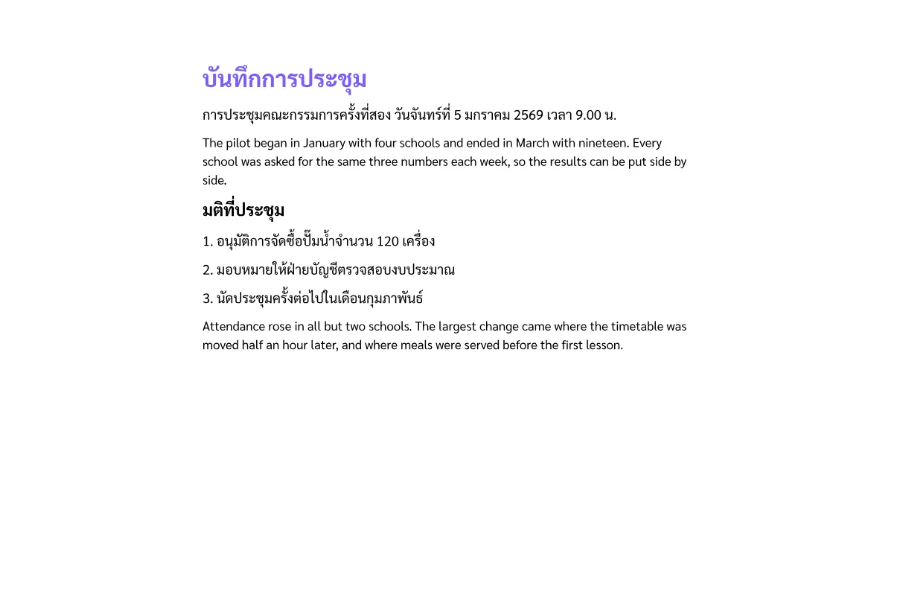
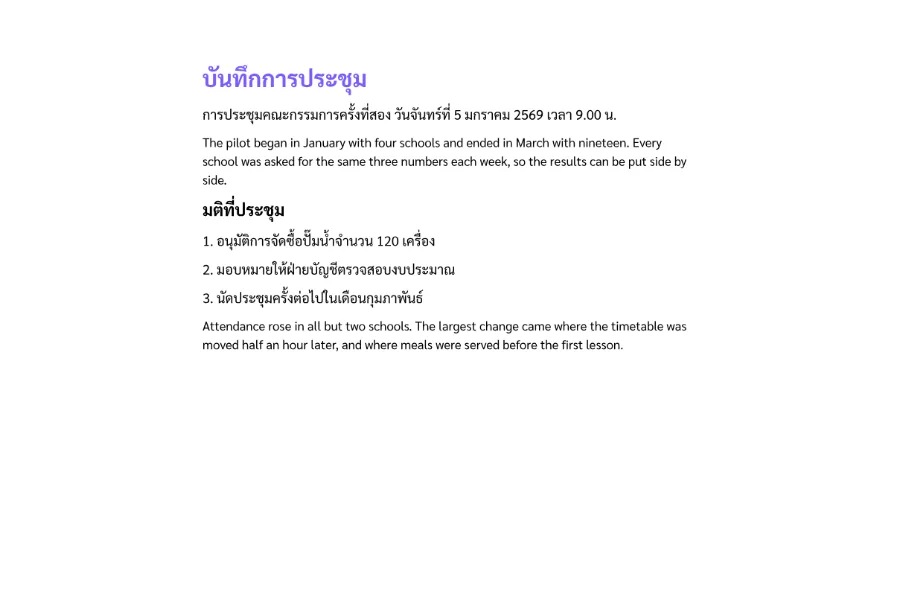 Before DOCX, 2 KBAfter PDF, 18 KB
or drop them here
DOCX, DOC, ODT, RTF. Stays on your device, never uploaded.
How to use Word to PDF
Choose your files, or drop them in the box.
Change the options and watch the result on the page.
Happy with it? Press Word to PDF, then download the new file.
What you get
- DOCX, DOC, ODT and RTF
- The PDF has real, selectable text, not pictures of pages
- Latin and Thai text work without installing fonts
What to know first
- Page breaks can fall in other places than in Word when your document’s font is not free to bundle.
- Charts and SmartArt may not come through.
- Chinese, Japanese and Korean fonts are not bundled yet.
Need more? Full programs, right in your browser
Nothing to download or install: the program opens in this browser tab. Free, and your files stay on your device.


Questions
Will it look exactly like in Word?
Simple documents come close. Fonts we may not ship are replaced by free ones, so check the pages before you send it.
Does it work with Google Docs?
Yes: download the document as .docx and drop it here.
Is my file uploaded?
No. The page loads the converter into your browser and your device does the work. Run a tool once, switch off the internet and run it again: it still works. The page’s security rules also stop it from connecting to any other site.
Is it free? Is there a limit?
Free, with no sign-up, no watermark and no daily limit. The limit is your device’s memory, because the work happens there.
Guides
School, work and library computers block installs. Open, convert and edit files in a browser tab instead, take them with you, and leave nothing behind.
Microsoft Office expired? Open and edit your filesYour subscription ended but your .docx, .xlsx and .pptx files are yours. Read or convert them in a page, edit them free, and know what to check.
Compare two Word documents for freeFind every changed word between two versions of a .docx, free and without uploading. Two ways: a quick report, or tracked changes you can accept.
People also use
More PDF tools
Merge, split, compress, convert, unlock, protect, sign and edit PDFs free in your browser. Your files stay on your device. No sign-up.