
Sign a PDF: a drawn signature or a digital one?
For most forms and letters, draw your name on the page with Sign PDF: a mouse, a finger or a pen will do. If the other side checks signatures by software, they mean a digital signature with a certificate, and that is Sign with certificate. Ask which one they want before you start.
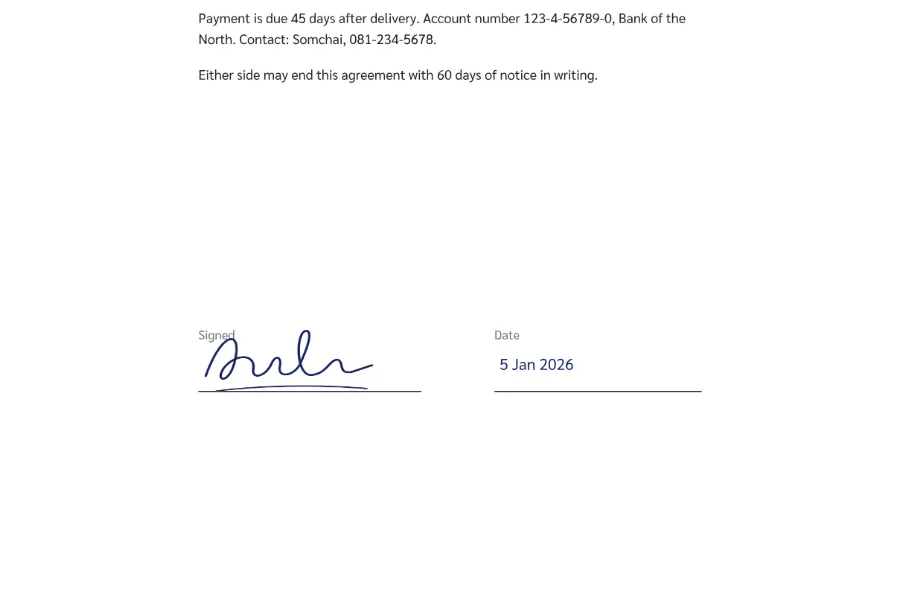
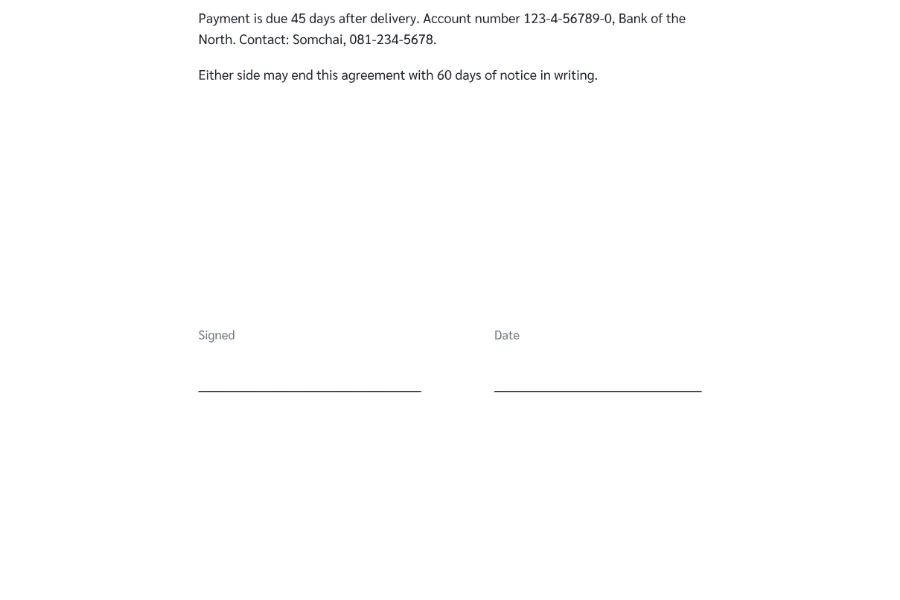 Before PDF, 8 KBAfter PDF, 68 KB
What each one proves
| Drawn signature | Certificate signature | |
|---|---|---|
| looks like | ink on the page | a mark, or nothing to see |
| shows that | someone put this picture here | the holder of a certificate signed, and the file has not changed since |
| you need | a finger | a certificate file or token from an issuer |
| a change afterwards | cannot be noticed | breaks the signature |
A drawn signature carries weight because the two sides accept it, as with a fax. A certificate signature carries its own proof.
If you have a certificate
Sign with certificate takes your .p12 or .pfx file and its password and writes a PAdES signature, with a mark on the page or nothing to see. Earlier signatures stay whole. Cards, USB tokens and keys in the cloud do not work there, and the time comes from your device’s clock. A reader may still show the signer as not trusted: that depends on its own trust list, not on the signature.
To check a file you were sent, Verify signature lists every signature, the signer, the issuer and the dates, and says whether the file changed after signing. It does not decide whether to trust the issuer.
Sign in a minute
- Open Sign PDF and press Choose a file.
- Press Draw signature and write your name in the box.
- Click on the page where it goes. Drag it into place and change its size if it looks wrong.
- Use Add text for your name in print and the date.
- Go through the other pages that need signing, then press Download.
If it came out shaky, press Clear and write faster. Slow signatures wobble. A phone with a finger is usually better than a mouse.
Use your real signature
Write it three times with a dark pen on white paper, photograph the best, and run it through Signature to PNG. It takes the paper away and crops close. Paper removed goes up if grey patches remain and down if thin strokes vanish; Ink can stay as written or become blue or black. Our sample, a 23 KB photo, became a 58 KB clear PNG. In Sign PDF choose Add a picture instead of drawing.
Keep that PNG like a key. Anyone who has it can paste it anywhere.
What goes wrong
The signature has a white box round it. It was a JPG. A JPG has no clear background; make the PNG.
It moved when they opened it. It did not move; you saw the page at another size. Check the saved copy at 100%.
The PDF is locked against changes. Unlock it if it is yours to change. If it was signed with a certificate, any change breaks that, so do not.
Two people must sign. Send it on; the second person opens your signed copy and adds theirs. There is no sending service here, which also means no one else keeps the document.
After signing
Run Flatten PDF so that form fields can no longer be changed. Then, if it contains pay or health, add a password. Keep the unsigned original too.
Check: open the saved file on another device, look at every page you signed, and read the date you typed. One wrong digit in a year is the most common fault in signed papers.
When a drawn one is not enough
Public procurement, some banks and some court papers want a certificate signature from an accepted issuer. Contracts worth a lot deserve a service that records who signed, when, and from where. If someone asks you to sign by a link that came from an address you do not know, stop: signing sites are a favourite disguise.
When the paper is a form, it may be easier to fill in the fields before you sign. Signing something after comparing versions? Compare the two first.
Questions
Is a drawn signature legal?
It depends on your country, the kind of paper and what the two sides agreed. Ask the one who receives it. We cannot answer that for you.
Can I stop someone copying my signature?
Not completely. Anything visible can be copied. Do not send your signature as a picture on its own, and flatten the signed PDF.
