
Remove duplicates from a list without losing people
Remove duplicate rows drops repeats from an Excel or CSV file and tells you how many went. Compare whole rows when the list was pasted twice, or one column, such as the phone number, when the same person appears with small differences. Your customer list stays on your computer.
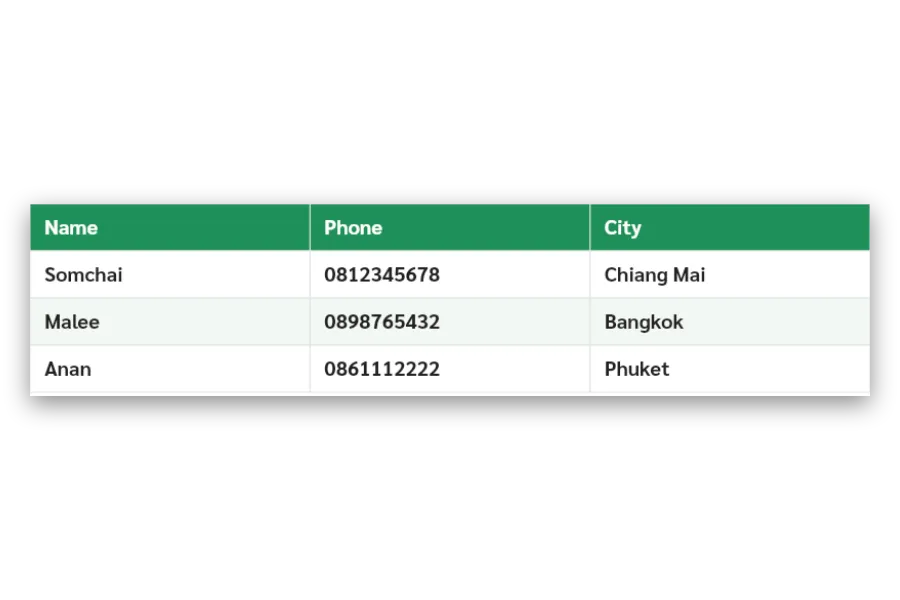
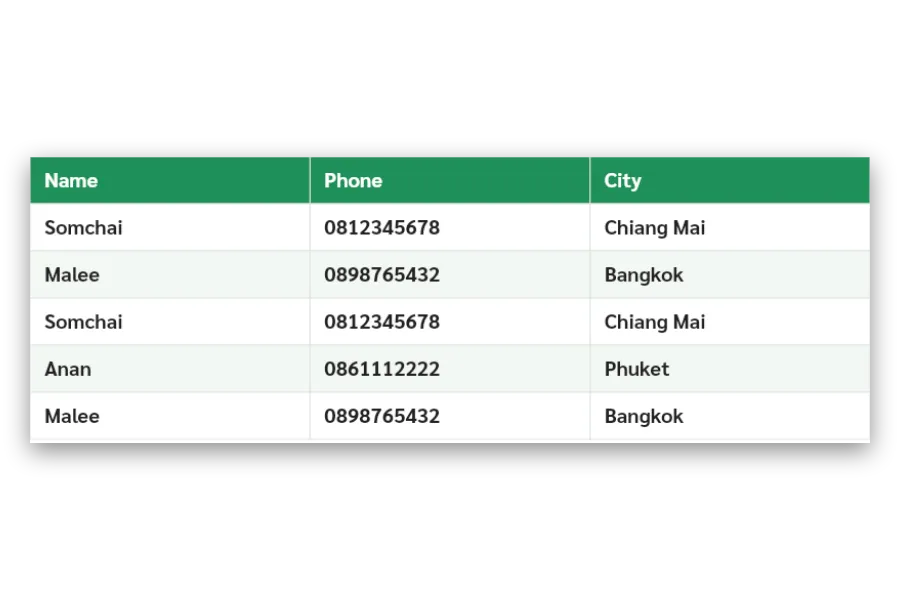 Before CSV, 156 BAfter XLSX, 2 KB
First decide what “the same” means
Two rows can be:
- the same in everything. The export was pasted twice. Compare whole rows.
- the same person with different details. Somchai with and without his city. Compare one column that identifies a person: phone, e-mail, member number, ID.
- different people with the same name. Never compare by name alone.
The third kind is why a careful minute now saves an angry phone call later.
Do it
- Make a copy of the list and sort it so that the best row of each person is on top, for example the newest first. The first copy is the one that stays.
- Open Remove duplicate rows and press Choose a file.
- Leave The first row is a heading on if it is.
- Leave Only this column empty to compare whole rows, or type the heading (
Phone) or the letter (B). - Read how many rows were removed, look at the table, and press Download.
Our sample list has five rows: Somchai, Malee, Somchai, Anan, Malee. The tool said “2 duplicate rows removed” and left three. Comparing column B, the phone number, gave the same answer, which is a good sign the list is clean.
When repeats hide
Rows that look equal may not be:
- a space at the end:
BangkokandBangkok; 081-234-5678and0812345678;- capital letters in an e-mail;
- a number stored as text in one half of the list.
Clean these first. In a spreadsheet, TRIM removes spaces, SUBSTITUTE removes hyphens, LOWER makes e-mail even. Put the clean value in a new column called Key, and compare on Key.
Check what went
- Rows before minus rows after equals the number the tool said.
- Pick two people you know appear twice. Each should be there once, with the right details.
- Sort the result by the key. No neighbours should be equal.
- Look at blanks. If the column you compared is empty in many rows, those rows count as equal, and all but one will go. Filter blanks out and treat them apart.
Number four is the costly one. Do it before you send.
Good order for a mailing list
Put the sources together with Merge Excel, which adds a column naming the file each row came from. Sort so the source you trust is first. Remove duplicates by phone or e-mail. Then save a CSV for the mail merge.
Duplicate photos are another job: Find duplicate photos compares what they look like.
When to use something else
In Excel, Data, Remove Duplicates does the same inside the workbook and keeps formulas and colours. Conditional formatting can mark repeats without deleting, which is better when a person has to decide row by row. For “nearly the same” names, such as Jon and John Smith, you need fuzzy matching (Power Query has it) and a patient human. And if the list is the customer register of your company, fix it in the program it came from, or the repeats return next month.
Questions
Which copy is kept?
The first one. Sort the list so that the row you trust most comes first.
Does it change my file?
No. You get a new .xlsx with values; formulas and colours are not kept. Your original is left alone.

