
Make a scanned PDF searchable: what OCR can and can’t
OCR PDF reads a scan and lays the words over the page, unseen, so it looks the same but can be searched, selected and copied. You also get a text file. It runs on your device; the first run loads the language, a few megabytes.
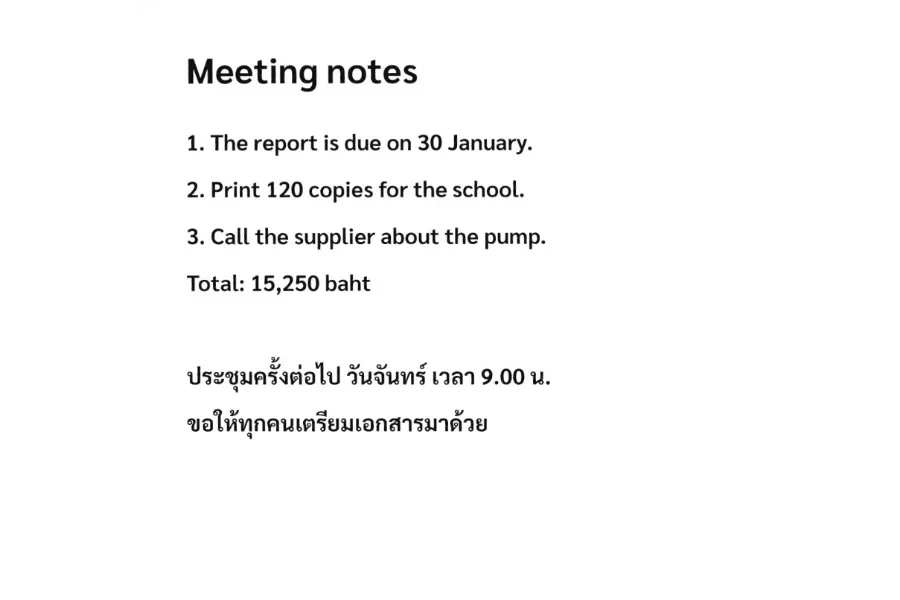
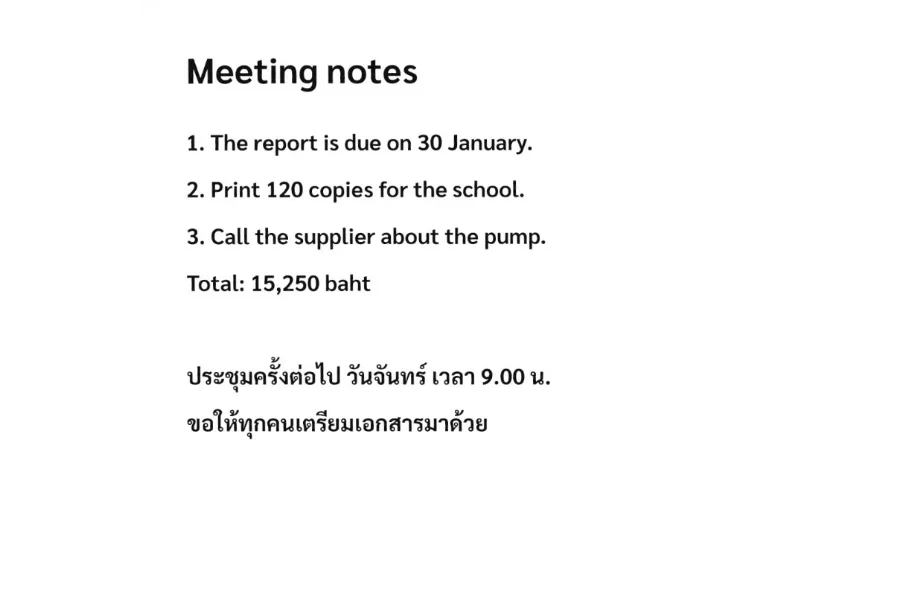 Before PDF, 65 KBAfter 2 × PDF + TXT, 68 KB
Do you need it?
Try to select a sentence in the PDF. If you can, the text is already there and you do not. If the whole page turns blue, it is a picture. Mixed files are common: typed pages with a scanned annex. The tool skips pages that already have text unless you ask.
Read it
- Open OCR PDF and press Choose files.
- Set Language in the scan. The wrong language gives nonsense, not small errors.
- Press the button and wait. A page takes seconds to a minute, depending on your computer.
- Press Download. You get the PDF and a .txt.
- Search the PDF for a word you can see on the page.
Our one-page sample scan, 65 KB, came back as a 68 KB PDF and a short text file. The sample is an English note, and “Print 120 copies for the school” and “Total: 15,250 baht” were exact. On the same paper two lines of Thai, read with the language left on English, came out as Jszyuasana ty Suduns. That is what the wrong language looks like.
How far to trust it
| What | How it does |
|---|---|
| clean print, 300 dpi, English | very well |
| small print, fax, photocopy of a photocopy | many small errors |
| numbers | good, but check every one that matters |
| Thai print | readable, some tone marks and small vowels lost |
| tables | words are there, columns are not |
| handwriting | poor |
Typical faults: 0 and O, 1 and l, rn and m, a comma that becomes a full stop in an amount. Search is forgiving of these. A contract is not.
Make the picture better first
The cure for bad reading is nearly always a better picture. Photograph again with more light, flat and straight. Scan to PDF straightens the page and takes out the shadow. Turn sideways pages with Rotate PDF. Then run OCR.
For one photo of a sign or a page, Image to text is quicker: no PDF, just the words.
After
- To edit the text: PDF to Word on the OCR result, then proofread against the scan.
- To file it: the searchable PDF is enough. Name it with the date and the sender; search does the rest.
- To quote it: copy from the .txt, and compare the quote with the page.
What goes wrong
It reads nothing. White text on black, or a page upside down.
Columns are mixed. Crop each column to a picture with Crop image and read them apart.
It takes for ever. Fifty pages on an old laptop is a long job. Split the file and leave it running.
The text is off by a line when you select. The scan is skewed. Straighten and run again.
Check it in two minutes
Search for three words from three different pages. Compare every amount and date with the picture. Read one paragraph aloud from the text while looking at the scan.
For ten thousand pages, a historical hand, or a legal record where each error matters, use a commercial OCR package with a person checking, and ask them where the files are processed.
Questions
Is handwriting read?
Not well. Neat capitals sometimes come through. Type handwriting yourself.
Can I put Thai and English on one page?
Choose Thai and English as the language. Thai tone marks and small vowels can be missed, so proofread.